
Blue light filter
Take the blue out of your Mac screen at night
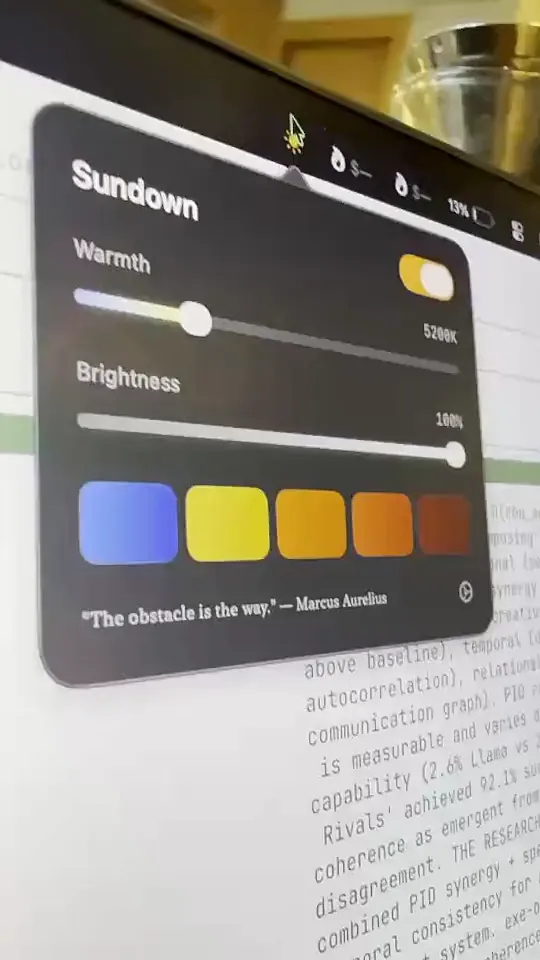
Sundown blocks blue light from the menu bar. One slider takes your whole screen from daylight white to a warm, sunset glow, and it stays that way in every app.
7-day free trial on the monthly and annual plans
Night Shift stops before the screen gets really warm
The filter built into your Mac only goes so far, so the screen still reads as a warm white at midnight. If you want the evening to look like evening, you need a filter that keeps going.
With Night Shift alone
- Its warmest setting is still a warm white
- No presets to switch between
- Nothing to dim the screen past the brightness keys
With Sundown
- Warmth runs all the way from daylight to deep red
- Blocks blue light across every app and every connected display
- Brightness and warmth sit side by side in the menu bar
- Tested by Dr. Alexander Wunsch
How it works
Warmer in under a minute
- 1
Open Sundown
It lives in your menu bar. Click the icon and the panel drops down.
- 2
Slide the Warmth
Drag it toward the warm end and watch the white turn to amber, then red.
- 3
Leave it running
Sundown keeps the screen there in every app until you change it, or let a schedule do it for you.
What you get
A blue light filter that goes all the way
The full range
From a cool daylight white for working to a deep red for the last hour before bed, on one slider.
Every app, every display
Sundown warms the whole screen, so videos, PDFs and web pages change with it. Connected displays warm too.
One click away
The panel sits in the menu bar. There's no window to find and no account to make.
Presets when you want speed
Pick Reading, Glow, Evening or Midnight from a row of colours instead of hunting for the right spot on the slider.
Out in the world
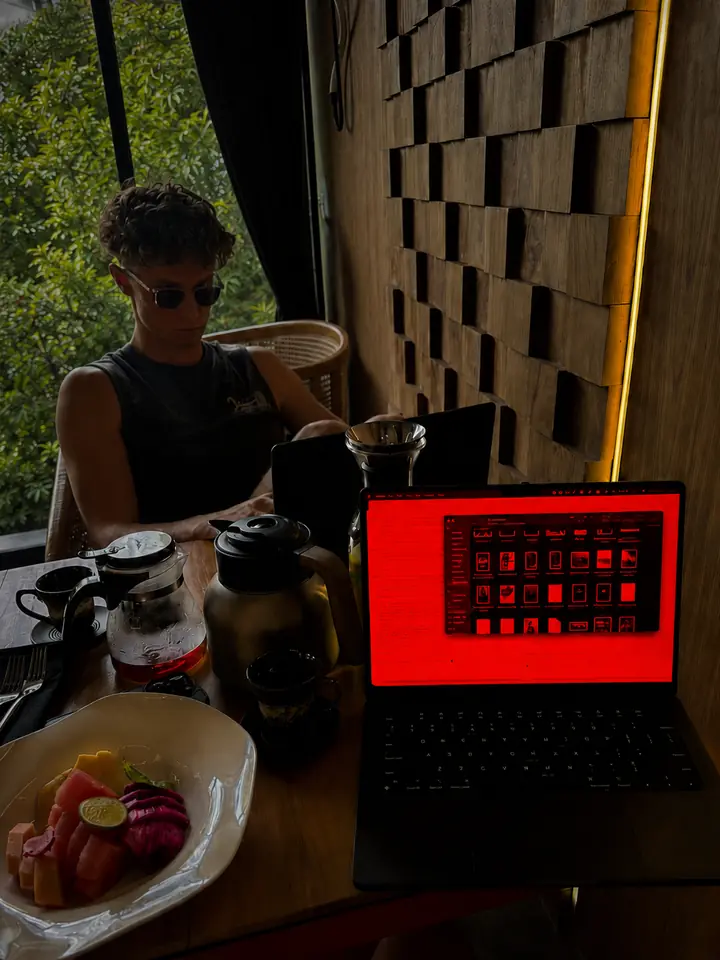
The same screen, a lot warmer
Jack, who makes Sundown, working with the slider at the warm end. Every app on the screen turns the same colour, not just one window.
Coming from f.lux or Night Shift?
Turn the other one off first so the two filters don't stack, then set Sundown's Warmth where you like it. Our comparisons go through the differences one by one.
Block blue light on your Mac tonight
$4.99 a month, $39 a year, or $79 once for a Lifetime licence that works on 2 Macs. Every feature on this page is in every plan.
7-day free trial on the monthly and annual plans
Questions
Blue light filter questions
Does Sundown block blue light on the whole screen?
Yes. It changes the colour of everything the display shows, so every app, video and web page is warmed, not just the windows that have a dark mode.
How is this different from Night Shift?
Night Shift's warmest setting is still a warm white. Sundown keeps going, through amber and into deep red, and puts brightness on the same panel.
Will colours look wrong while it's on?
They'll look warmer, which is the point in the evening. When you need true colour for photo or design work, drag the Warmth back to daylight or switch Sundown off from the panel.
Which Macs does it run on?
Sundown runs on macOS 14 and later, on Apple silicon and Intel. If your Mac is on macOS 12 or 13, Sundown Classic is the version for you.