
Red light filter
Turn your Mac screen deep red after dark
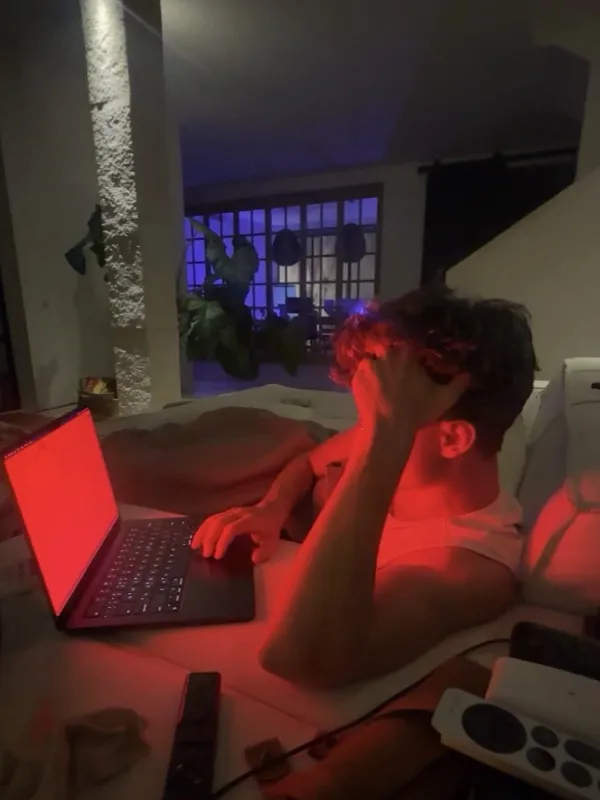
Night Shift stops at a warm white. Sundown keeps going until the whole screen glows red like the last light of a sunset, and you can get there in one click.
7-day free trial on the monthly and annual plans
Orange isn't red
Night Shift tops out at a warm white, and f.lux's regular settings stop at a deep orange. If you work late and want the screen to look like firelight rather than a dimmed office, you need the far end of the scale.
Night Shift and f.lux
- Night Shift stops at a warm white, f.lux's regular settings at a deep orange
- Leave the last hour of the night looking like daytime
- Make you dig through settings to get warmer
With Sundown
- The Warmth slider runs right down to deep red
- The Midnight preset gets you there in one click
- Pair it with the Brightness slider for a dim, red screen
- Back to normal colour with one click when you need it
How it works
Red in three clicks
- 1
Open the panel
Click the Sundown icon in your menu bar.
- 2
Pick Midnight
It's the reddest colour in the preset row. Or drag Warmth all the way to the warm end.
- 3
Bring the brightness down
Ease the Brightness slider down until the red is comfortable in a dark room.
Why red
Built for the last hour of the night
As red as it gets
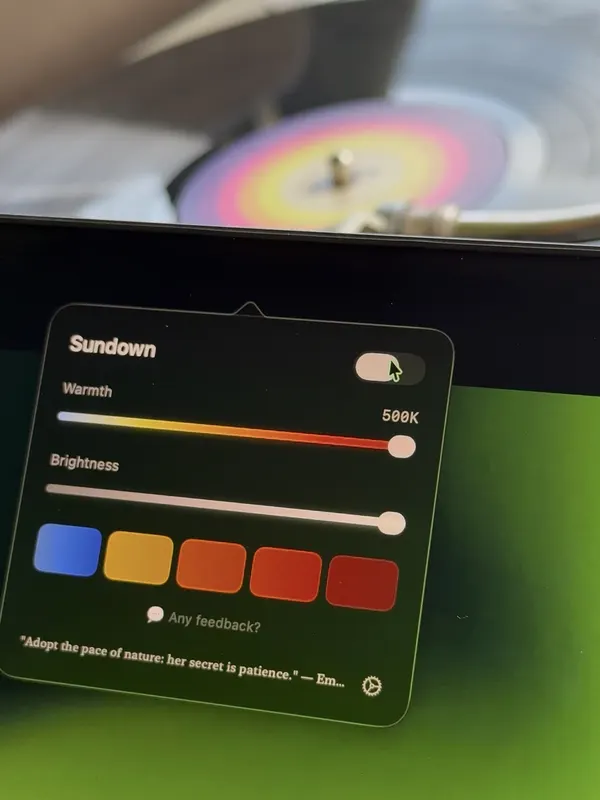
Midnight is the warmest setting Sundown has. Relax, one step up, is a softer red if Midnight is too much.
The whole screen
It isn't a tinted window. Every app, video and page turns red together, and connected displays follow.
Still readable
Text stays sharp, and you can ease back toward orange whenever you need to read something closely.
Easy to undo
One switch in the panel turns Sundown off, so true colour is a click away when you need it.
The Midnight preset
All the way to the warm end
A photo of a real Sundown panel with the Warmth slider pushed all the way to the warm end, which is where Midnight sits.
Using Night Shift today?
Turn Night Shift off before you use Sundown so the two don't stack. Our comparison shows how far each one goes.
Go deep red tonight
$4.99 a month, $39 a year, or $79 once for a Lifetime licence that works on 2 Macs. Every feature on this page is in every plan.
7-day free trial on the monthly and annual plans
Questions
Red light filter questions
Is there a separate red mode?
No, and you don't need one. Red is the warm end of the same Warmth slider. The Midnight preset jumps straight there.
Can I make it red only late at night?
Yes. Add a step to Sundown's schedule at the time you choose and pick Midnight for it. The screen eases into it on its own.
Can I still read on a red screen?
Text stays sharp, though fine colour detail is gone. Most people use Midnight for reading, music and winding down, and step back to a softer preset for detailed work.
Does it work on an external monitor?
The warmth applies to every display connected to your Mac, so an external monitor turns red with the built-in screen.