
Schedule
Set your evening once, and your screen warms on its own
Choose the times and the warmth for each part of your day. Sundown eases the screen from one to the next, so the evening gets warmer without you touching anything.
7-day free trial on the monthly and annual plans
You won't remember to change it at nine o'clock
A warm screen only helps if it's warm at the right time, and nobody stops what they're doing to drag a slider. The fix is to decide once.
Changing it by hand
- You remember at midnight, two hours too late
- Mornings start on last night's red screen
- Every change is another thing to think about
With Sundown
- Up to six steps through the day, at times you choose
- Each step eases in gradually instead of snapping
- A recommended schedule you can load and adjust
- Optional brightness for each step
How it works
Set it and forget it
- 1
Open Scheduling
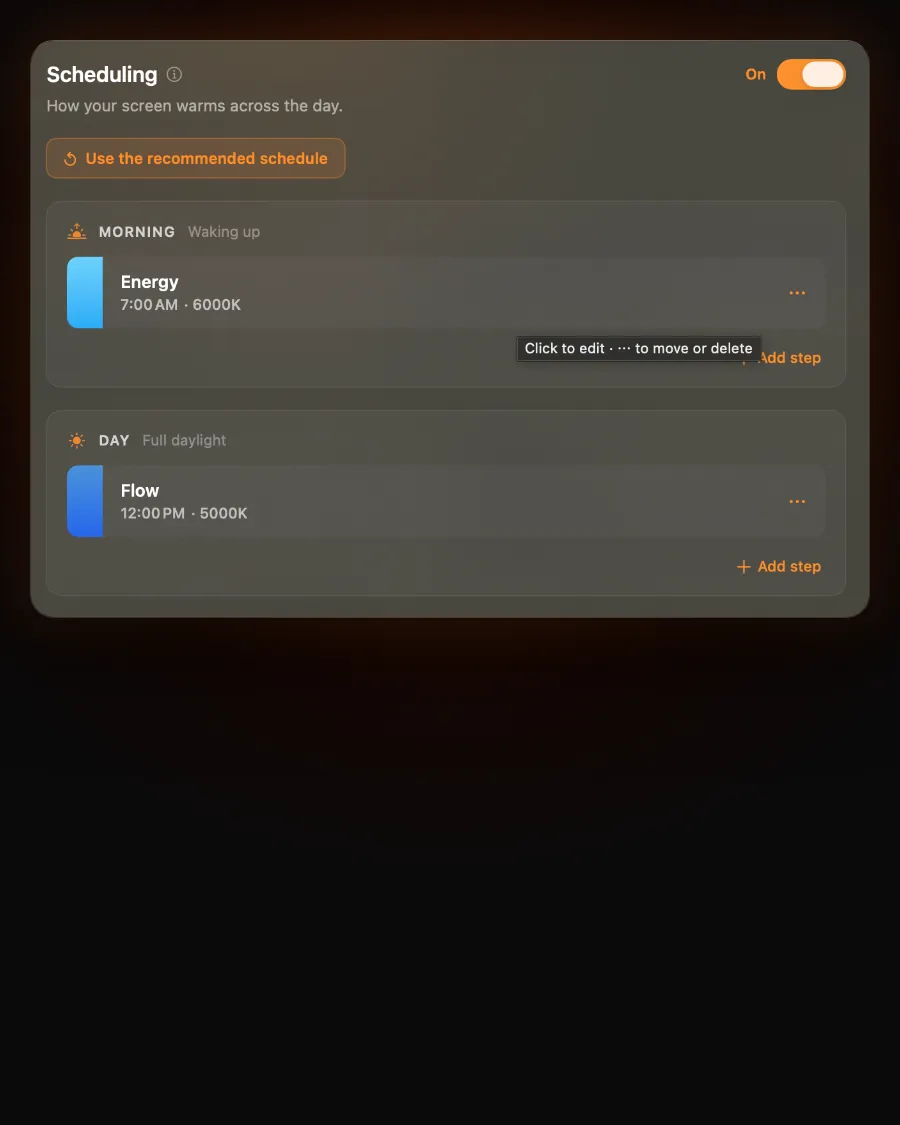
In Sundown's Settings, open the Scheduling tab and switch it on.
- 2
Load or build
Press Use the recommended schedule and confirm, or add your own steps with a time and a warmth for each.
- 3
Get on with your evening
The screen eases into each step as its time comes round, every day.
What you get
A day that warms up by itself
Your times
Each step is a clock time you pick, so it fits early nights, late nights and everything between.
Gentle changes
The screen eases into each new step rather than jumping, so you barely notice it happening.
A good place to start
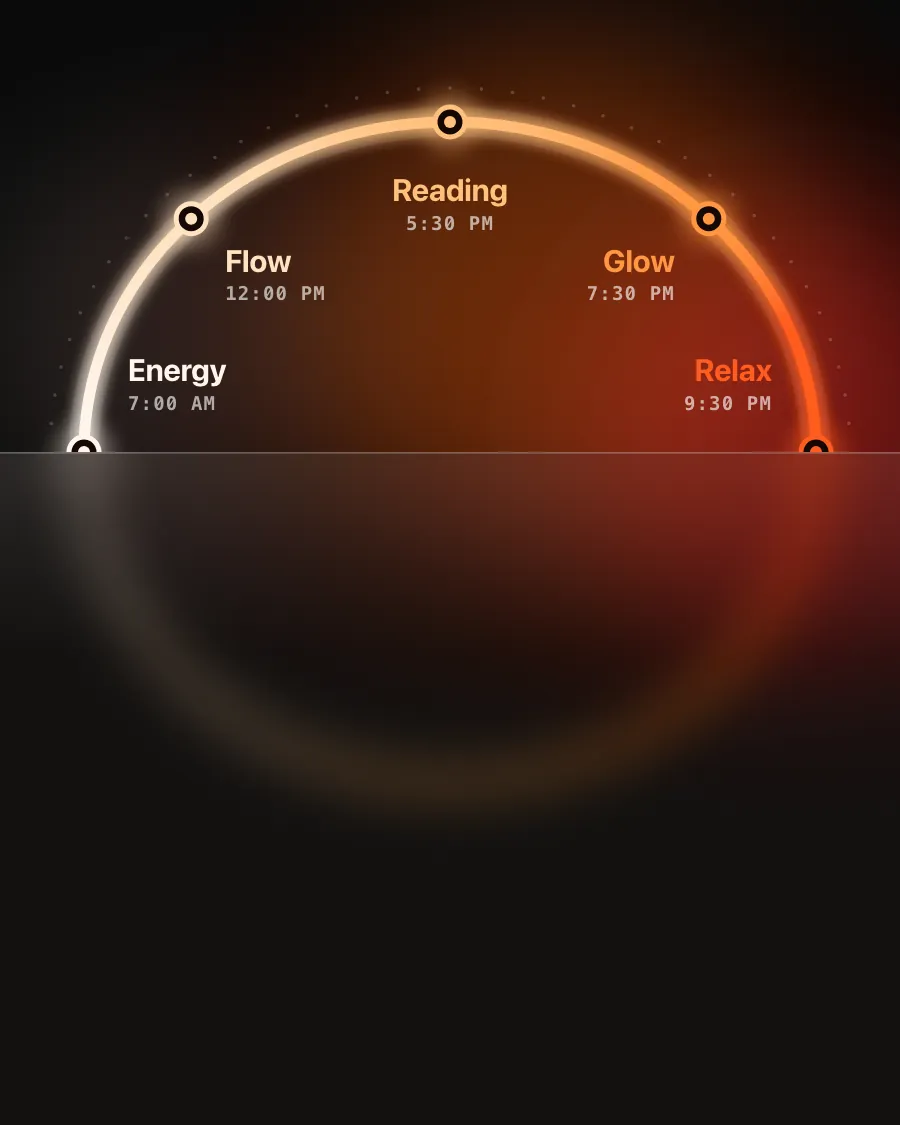
The recommended schedule runs from Energy in the morning to Relax late in the evening. Load it and adjust.
Brightness too, if you want
Turn on Also set brightness for a step and the screen dims as it warms.
The recommended schedule
Cool in the morning, red by bedtime
Energy at seven, Flow at noon, Reading in the late afternoon, Glow in the evening and Relax before bed. Every time and every step is yours to change.
Already scheduling Night Shift?
Night Shift's schedule turns one setting on and off. Sundown's moves through several. Turn Night Shift off first so the two don't stack.
Set your schedule tonight
$4.99 a month, $39 a year, or $79 once for a Lifetime licence that works on 2 Macs. Every feature on this page is in every plan.
7-day free trial on the monthly and annual plans
Questions
Schedule questions
Does the schedule follow sunset where I live?
No. Each step is a clock time you choose, which also means it doesn't jump around with the seasons. Set your evening steps for when your evenings start.
How many steps can I have?
Up to six, and at least two need to be switched on. You can add, move, switch off or delete steps at any time.
Does the screen jump from one step to the next?
No. Sundown eases into each step gradually, so the change happens in the background.
Which version of Sundown has the schedule?
The schedule is in Sundown for macOS 14 and later. Turn it off any time and your steps stay saved for later.