Sundown vs Iris for Mac (2026): What Happened to Iris and What to Use Now
Last Updated: September 2026
Iris was the first blue light filter I actually respected.
Not because of the UI — that was always a bit rough, a Bulgarian indie developer's passion project where function trampled form. I respected it because Daniel Georgiev, the guy behind Iris, understood something most blue light apps didn't: brightness control matters as much as color temperature. PWM flicker at low brightness is linked to headaches in sensitive people. And most "eye protection" apps ignore that entirely.
I downloaded Iris in 2019, paid for the pro version, and used it alongside f.lux for a while. Iris handled flicker. f.lux handled warmth. Together they were clunky but effective.
Then Iris's macOS release history got hard to read. Its downloads are JavaScript-gated, so we could not verify a current macOS build date — we tried, and we are telling you that rather than guessing. The website still sells it and the download still works. But you can't easily tell how recent the macOS build is, on an operating system that changes its display and permission systems every year.
When I built Sundown, Iris was one of the apps I studied most carefully. It got important things right. This comparison isn't a hit piece — it's an honest look at what Iris offered, what it left unfinished, and where Sundown picks up.
Quick Answer: Sundown vs Iris in 2026
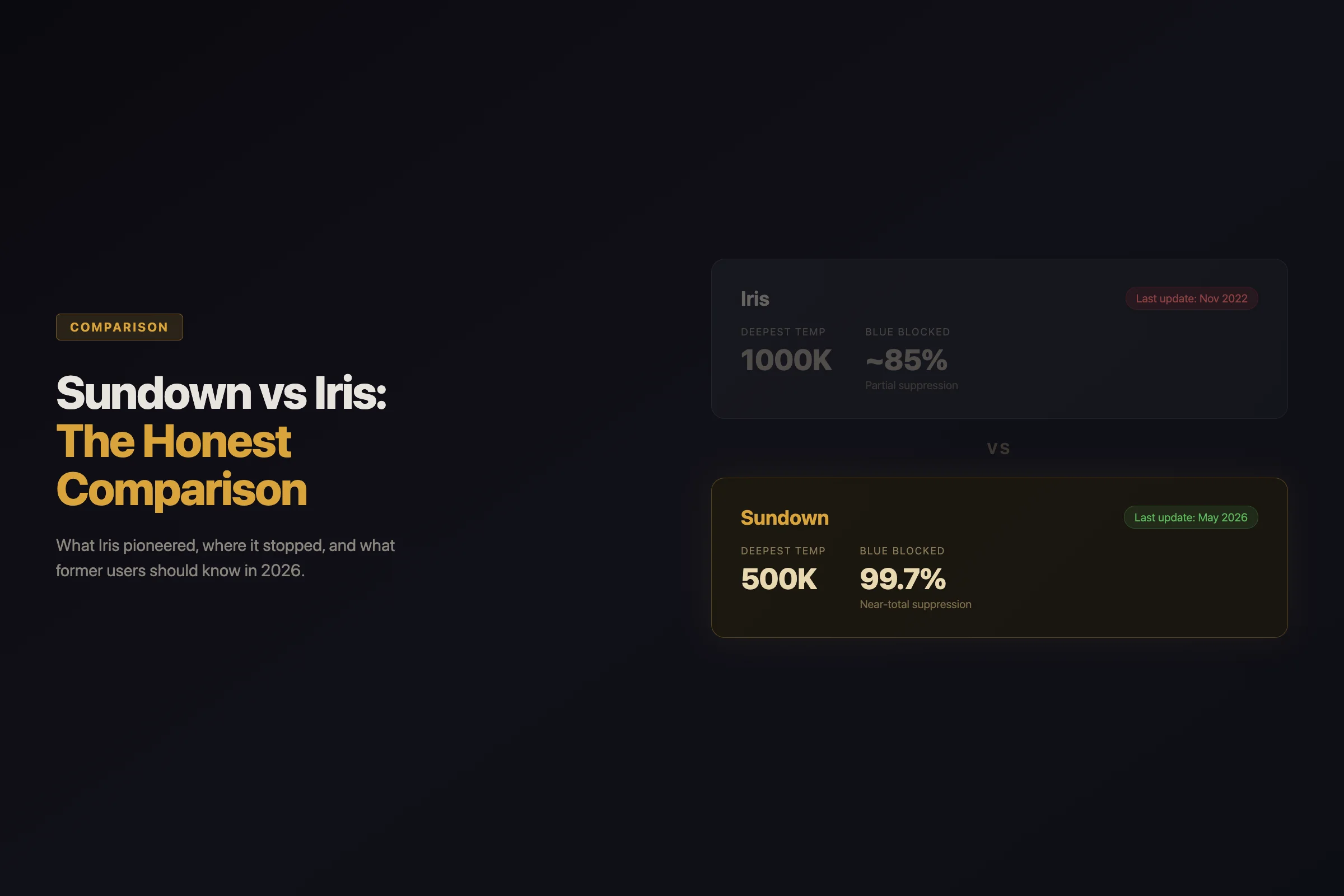
We could not verify a recent Iris macOS release. Sundown is actively maintained, goes deeper on color temperature (500K vs Iris's 1000K), and includes anti-dithering for Apple Silicon displays. If you're currently using Iris, switching to Sundown takes under 30 seconds.
The Full Comparison Table
The Sundown column describes the current build. The Iris column sticks to what we could check, and where we couldn't verify something, the table says so.
| Feature | Sundown | Iris |
|---|---|---|
| Deepest color temperature | 500K | 1000K |
| PWM flicker mode | Flicker-Free Mode (dims through the gamma table, not the backlight) | Has had a PWM-related mode |
| Anti-dithering (Apple Silicon) | Yes | No |
| Break timer (20-20-20) | Planned | Yes |
| Scheduling | Custom schedule by time of day | Not verified |
| Presets | Eight Kelvin presets | Multiple modes (Health, Reading, etc.) |
| Last Mac update | Actively maintained | Not published — downloads are JS-gated |
| Price | $4.99/mo, $39/yr, $79 lifetime | ~$15/yr |
| macOS support | macOS 14 and later (Sundown Classic covers macOS 12 and 13) | Not verified |
In short: Sundown warms to 500K and Iris to 1000K, Sundown can turn off Apple Silicon dithering, and Iris does not publish a macOS build date, so we could not verify a recent release.
Two things jump out. First, depth: Sundown goes to 500K and Iris stops at 1000K, a gap you can see on the first night. Second, upkeep: Sundown is actively maintained, while Iris doesn't publish a macOS build date, so we could not verify a recent release. That doesn't prove Iris has stalled. It does mean you're running it on trust.
What Iris Got Right (and Why It Mattered)
Credit where it's due. Iris was early to three ideas that most blue light apps still haven't adopted:
PWM flicker protection. When you dim an LCD or older OLED display, the backlight doesn't actually get dimmer in a continuous way. It flashes on and off faster — that's pulse-width modulation. At lower brightness, the off-periods get longer, and some people perceive this as flicker. Headaches, eye strain, nausea. Iris took this seriously early in the consumer app space and has offered a PWM-related brightness mode.
If you've ever wondered why your eyes hurt more at low brightness than at full brightness, PWM flicker is likely the reason. Iris saw that early.
Break timers. The 20-20-20 rule — every 20 minutes, look at something 20 feet away for 20 seconds — has solid backing from the American Academy of Ophthalmology. Iris built reminders directly into the app. Most blue light filters don't bother. (Sundown is planning this for a future release, because the Iris users who switched kept asking for it.)
Deep color temperature range. While f.lux stopped at 1200K and Night Shift barely nudges past 2700K, Iris pushed down to 1000K. Not as deep as Sundown's 500K, but far deeper than the mainstream alternatives. Daniel Georgiev clearly took the research seriously. Work on evening light and melatonin, from Brainard (2001) on which wavelengths matter most to Gooley (2011) on ordinary room light before bed, points the same way: the less short-wavelength light after dark, the better.
What Sundown Ships That Iris Never Will
Recent Sundown releases added crash resilience, a redesigned brightness HUD, and key glide — a smoothstep ramp engine that makes brightness key adjustments feel fluid (~130ms, 60fps) instead of stepping in harsh 5% jumps. These are the kinds of updates you only see from an app still in active development.
Where Iris Fell Short
The release history you can't check is the obvious question mark. But there are differences you can see for yourself today.
Three of those differences are worth checking on your own Mac before you decide: how warm each app will go, whether it can stop Apple Silicon dithering, and whether you can find a recent release.
A release date you can't find. Iris's downloads sit behind JavaScript, and Iris doesn't publish a macOS build date. We tried to pin one down for this comparison and couldn't. For a utility that sits between you and every pixel on your screen, that matters, because macOS keeps changing the display and permission systems these apps rely on. With Sundown, the answer is simple: it's actively maintained.
No anti-dithering. Apple Silicon displays use temporal dithering to simulate color depth — the display rapidly alternates between two nearby colors to create the illusion of an intermediate shade. At warm color temperatures, this creates a visible shimmer effect that's subtle but measurable. As far as we could find, Iris doesn't offer an anti-dithering mode. The problem came to the fore after Apple moved to M1 in late 2020, when these displays became the norm on the Mac. Sundown's anti-dithering mode was built specifically for Apple Silicon displays.
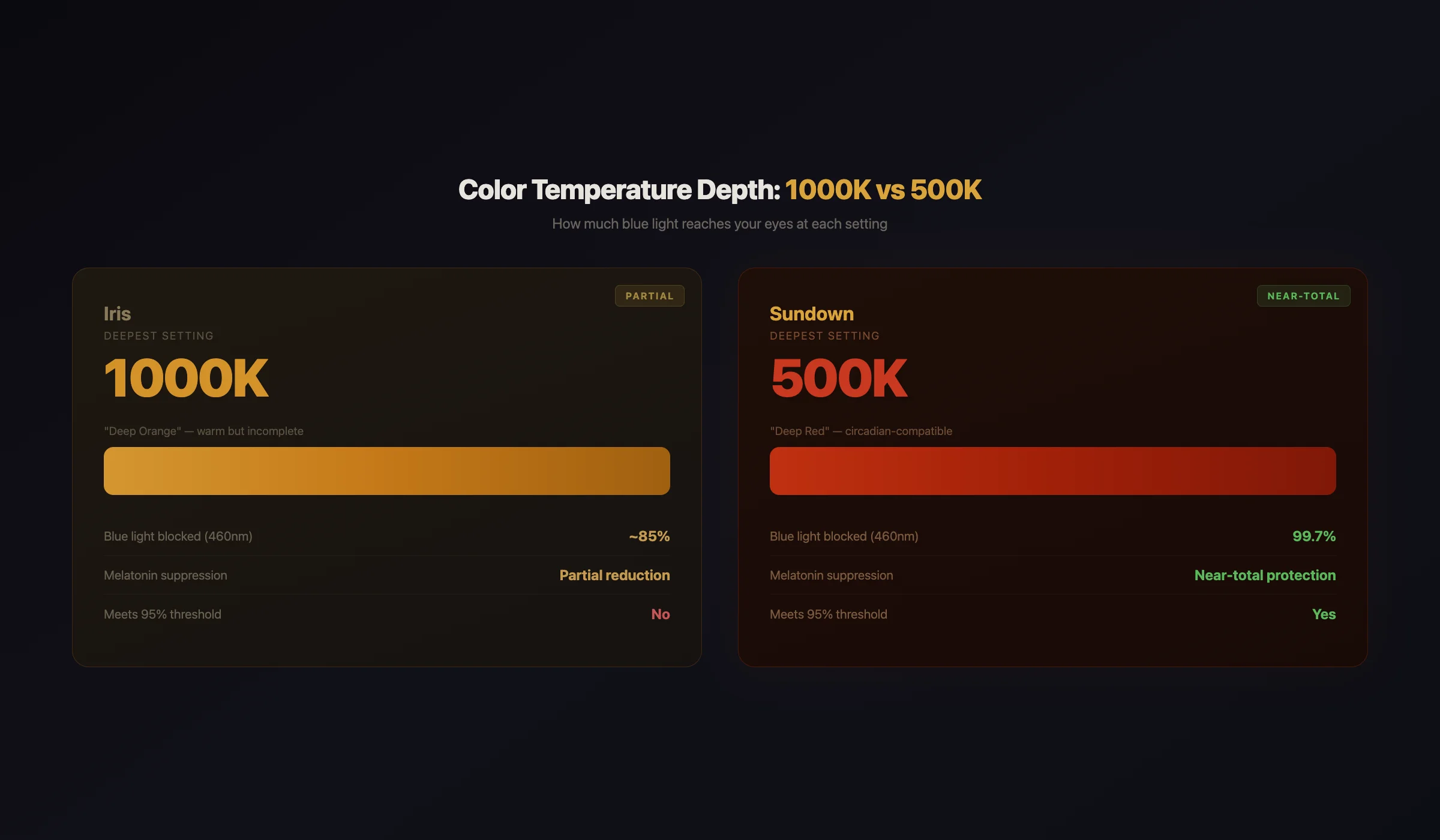
1000K isn't as deep. The research on evening light keeps pointing one way: after dark, less short-wavelength light is better. Iris reports a 1000K floor, which is a real step past most apps. Sundown reaches 500K, which takes out more of what's left. If you work late and want the warmest screen you can get, that extra depth is the reason to switch.
The Maintenance Question Matters More Than It Looks
You might think: the app still launches, so what's the problem?
Three things.
macOS compatibility. Apple ships a new macOS version every September. Each release changes display frameworks, security permissions, and accessibility APIs — exactly the systems a blue light filter depends on. A new version can break overlay and gamma apps overnight. With an app that's actively maintained, someone ships a fix. With an app whose release history you can't verify, you're hoping.
Apple Silicon. Every M-series chip since M1 handles the display pipeline differently than Intel Macs did, which is where problems like temporal dithering come from. Sundown runs on both Apple Silicon and Intel Macs, with anti-dithering built for Apple Silicon displays. We could not verify how current Iris's Apple Silicon support is.
Security. Anything that launches at login and controls your display deserves a vendor who ships updates you can see. Because we could not verify when Iris last shipped a macOS build, we can't tell you what it has or hasn't been patched against. That uncertainty is the point.
Migrating from Iris to Sundown
If you're one of the people still running Iris, here's the switch:
- Quit Iris (menu bar → Quit, or force-quit if it's hanging)
- Delete Iris from Applications (drag to Trash, then empty the Trash)
- Download Sundown from trysundown.com
- Open Sundown — it sits in your menu bar, same location Iris used
- Pick a warmth from the menu bar. Around 1000K is close to Iris's deepest setting, and 500K goes significantly deeper
The whole process takes under 30 seconds. Your 7-day free trial starts immediately, and there's no account to create.
If you used Iris's break timer, that feature is planned for a future Sundown release. In the meantime, macOS Screen Time handles basic break reminders.
What About Iris Mini?
Iris also offered a "mini" version — a stripped-down blue light filter without the break timers, modes, and settings complexity. In spirit it was the better product: simpler, focused, just color adjustment.
Its macOS build date is not published either. Same uncertainty.
Sundown is closer in philosophy to Iris Mini than to full Iris — lightweight, focused, does one job exceptionally well. The difference: Sundown goes deeper (500K vs 1000K), includes a Flicker-Free Mode that dims through the gamma table instead of the backlight, and it's actively maintained.
Why Not Just Use Night Shift or f.lux Instead?
If you're leaving Iris, you might consider the free options. Fair question.
Whichever you pick, the reason to warm your screen at night is the same, and the research behind it (with its limits) is on the Sundown science page.
Night Shift stops at roughly 2700K. It's better than nothing, but it doesn't go nearly as warm as a dedicated filter. If you want the deepest warmth after dark, Night Shift leaves a lot on the table.
f.lux goes to 1200K at its warmest preset. Better than Night Shift, but still well short of 500K, and we compare it in detail here. If you're leaving Iris over its unpublished macOS cadence, note that f.lux still ships — its Windows build is dated 8 April 2026. The Mac build hasn't changed since 17 May 2023.
The full breakdown is in our best blue light app comparison, which covers every option side by side.
FAQ
Is Iris still safe to use on Mac in 2026?
We can't give you a clean answer, and that is the honest problem. Iris doesn't publish a macOS build date (its downloads are JavaScript-gated), so we could not verify a recent macOS release or what it has been patched against. If you rely on it, check with Iris directly before your next macOS upgrade.
Does Sundown have everything Iris had?
Sundown goes deeper on color temperature (500K vs 1000K), has a Flicker-Free Mode that dims through the gamma table rather than the backlight, and gives you eight Kelvin presets. You can also build a custom schedule by time of day. The one feature Iris has that Sundown doesn't yet is the 20-20-20 break timer, which is planned for a future release. Sundown adds anti-dithering for Apple Silicon displays.
How can I tell whether Iris is still maintained?
Look for a published macOS build date or release notes. When we checked for this comparison, Iris's downloads were JavaScript-gated and no macOS build date was published, so we could not verify a recent release. Sundown is actively maintained, and it changes your display color through macOS display APIs.
Can I get a refund from Iris?
Iris's refund policy varies. If you purchased recently, contact iristech.co support. If you purchased through the Mac App Store, Apple's refund process applies.
What color temperature should former Iris users start with on Sundown?
If you used Iris at its deepest (1000K), start around 1000K so nothing feels different. After a few nights, try 500K. Give it a week, because your eyes adjust faster than you'd expect.
The short version: Iris stops at 1000K and publishes no macOS build date we could verify, while Sundown reaches 500K, handles Apple Silicon dithering, and is actively maintained.
Feel the difference tonight. Start your 7-day free trial and see what 500K looks like after dark.
Protect your screen tonight.
7-day free trial on the monthly and annual plans. Warmth down to 500K.
Try Sundown Free